Newton's Puzzle Expedition · Official guide
Game Guide
Rotate the route tiles, connect the water-drop Departure tile to the flag Arrival tile and guide Professor Newton through every required checkpoint.
Start your expedition
Choose Kids, Amateur, Advanced or Expert on Home. Each difficulty has its own destination progress, so you can change the challenge without losing another journey.
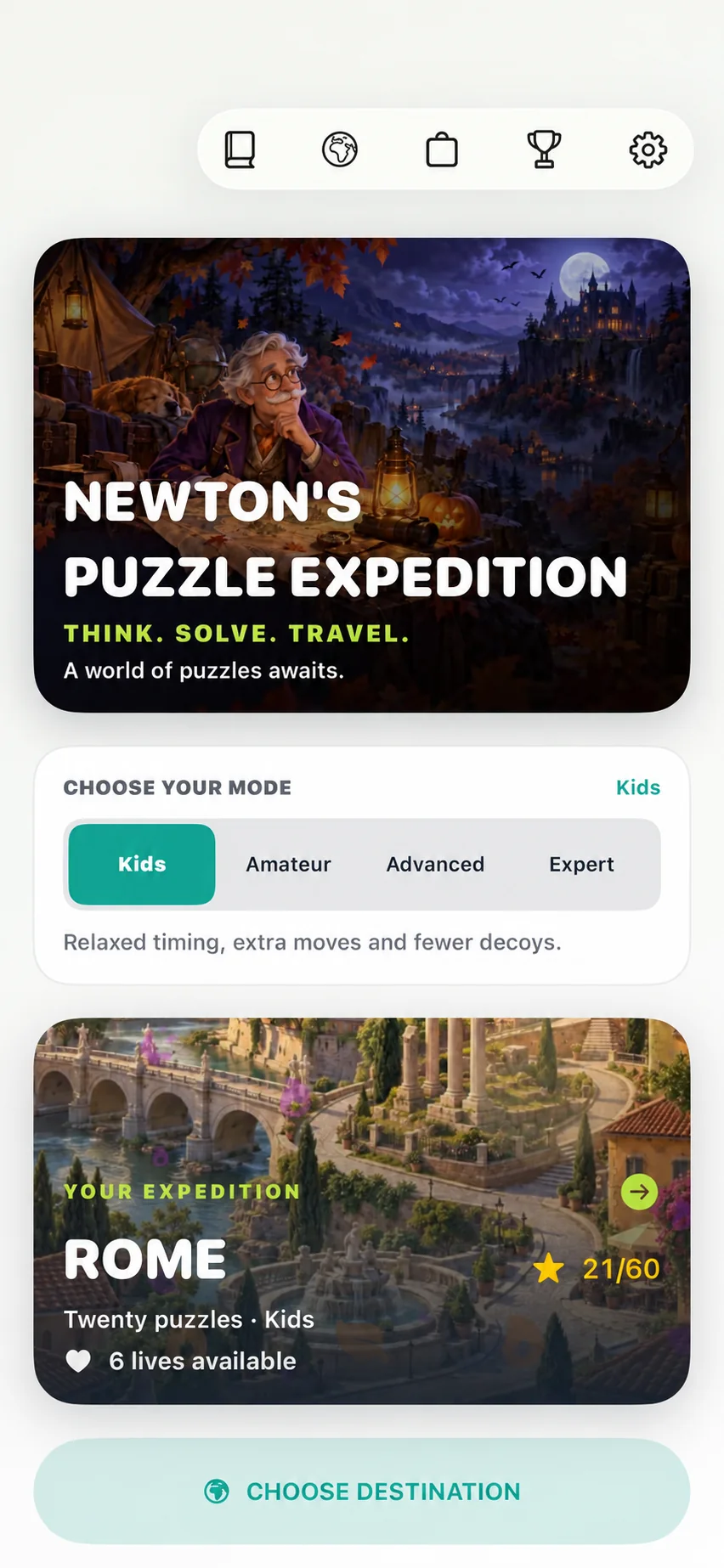
- Select a difficulty.
- Open the current expedition card, or choose another unlocked destination.
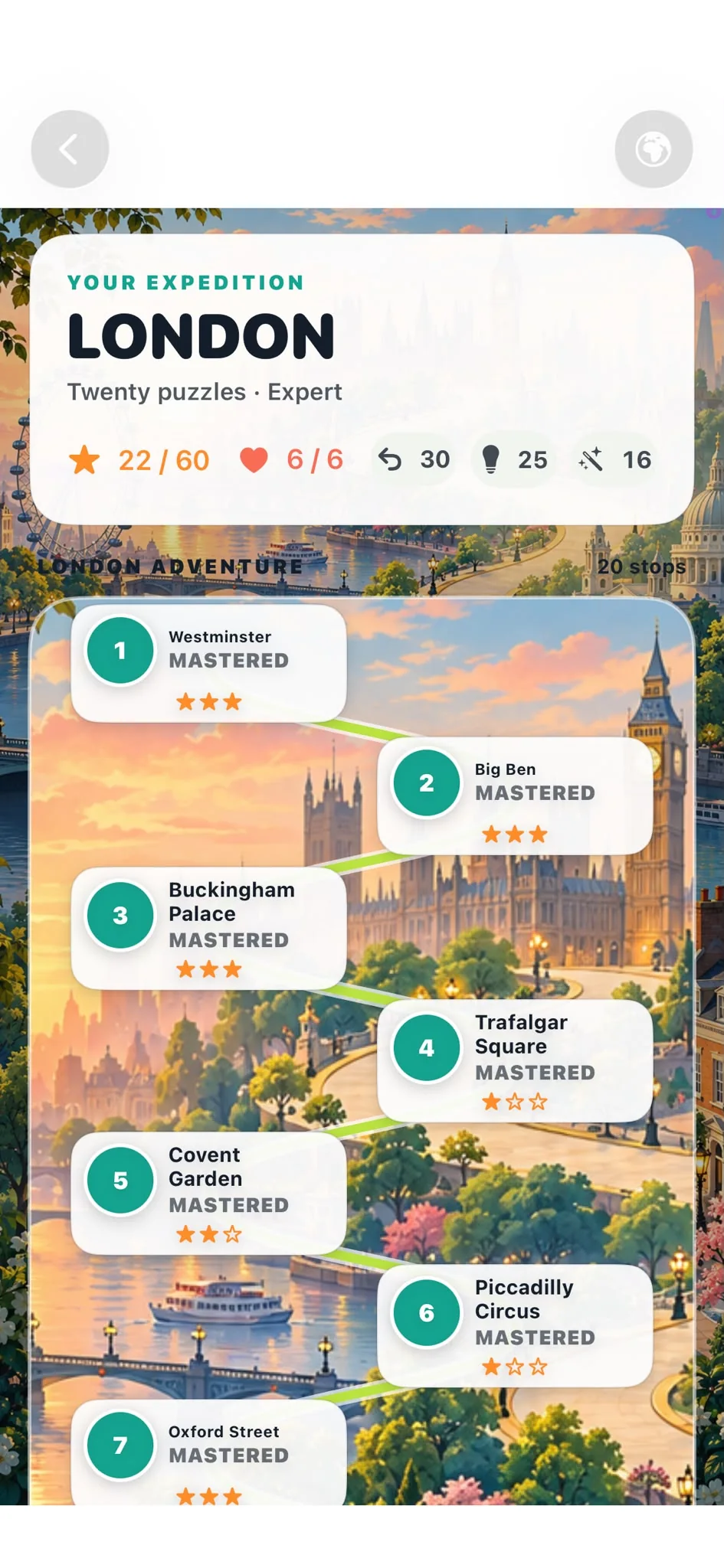
- Select an available stop on the destination map.
Build one continuous route
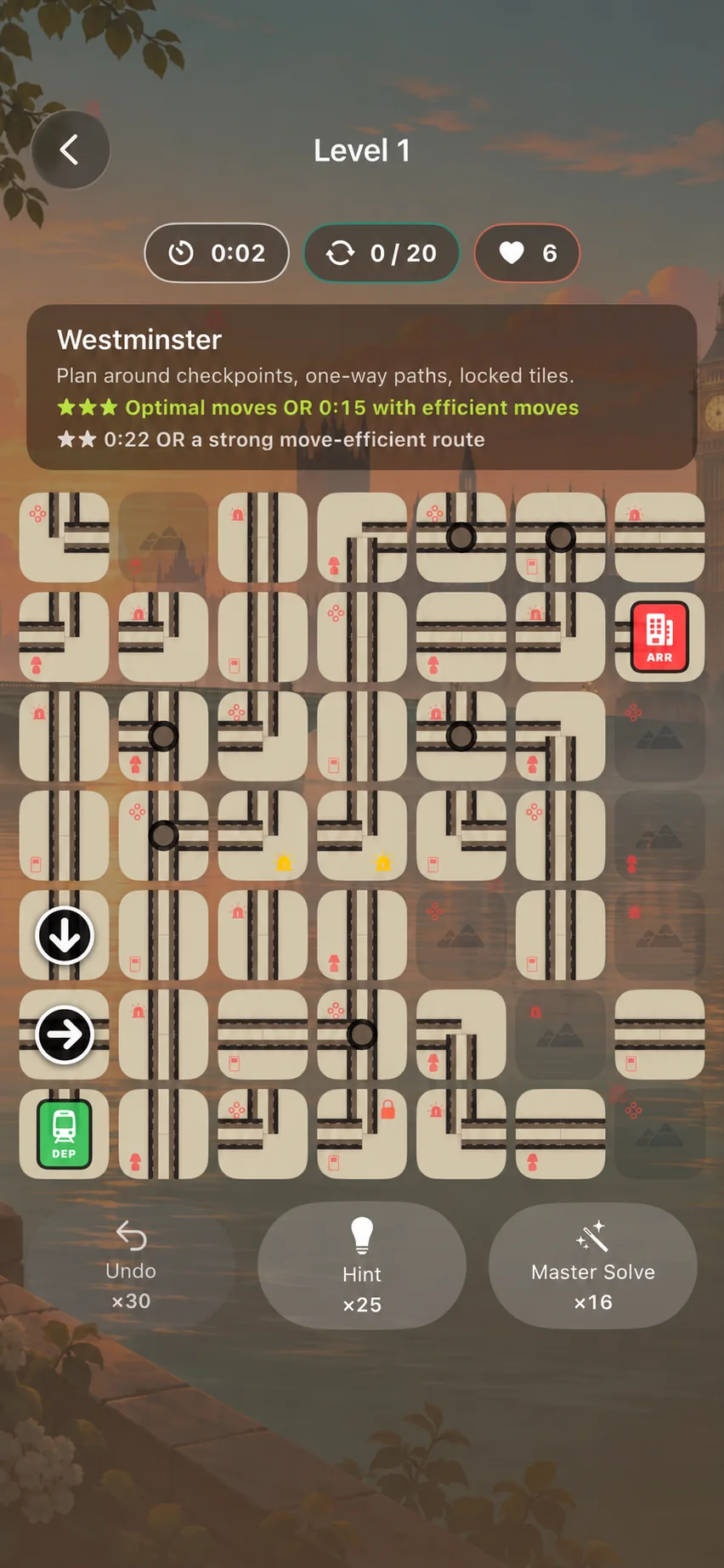
Tap an unlocked tile to rotate it clockwise. Connected edges must meet cleanly. The completed route must run from Departure to Arrival and pass through every required checkpoint.
- Locked tiles cannot be rotated.
- Checkpoint rings must appear on the completed route.
- One-way arrows show the permitted direction of travel.
- Darkened spaces are outside the playable route area.
Earn stars
Kids, Amateur and Advanced reward an optimal manual move count with three stars. Expert asks for both efficient moves and a skilled—but achievable—time for three stars; an optimal Expert route always earns at least two. Every successful completion earns at least one.
Master Solve guarantees three Journey stars, but it does not create a false manual best time or move record.
Each destination contains 20 puzzles per difficulty: 50/60 stars clears it, 60/60 masters it, and mastering all four difficulties earns Ultimate City Master status.
Ways to play
- Main Expedition: travel through 50 destinations, collect stars, discover facts and fill Professor Newton's Travel Journal.
- Daily Five: five date-based challenges with independently selected difficulties and a local-day streak.
- Practice: varied, consequence-free puzzles with no lives, Journey stars, progression or supply use.
Lives, hints and other supplies
Journey and Daily Five attempts use lives. Lives refill freely up to six, and Practice never uses lives.
- Time Boost adds 10 seconds to the current Journey puzzle's three-star time target.
- Hint highlights a tile on a shortest route and tells you how many clockwise turns it needs.
- Master Solve completes the current puzzle and awards three Journey stars while remaining marked as assisted.
- Full Life Refill restores lives to 6/6 when used below full.
Accessibility and offline play
Newton supports VoiceOver labels, Dynamic Type, Reduce Motion and colour-independent direction indicators. Core gameplay, installed themes, progress and settings are designed to work without a constant internet connection.
To replay the short offline introduction inside the app, open Settings → Replay how to play. For troubleshooting, visit Support & FAQ.